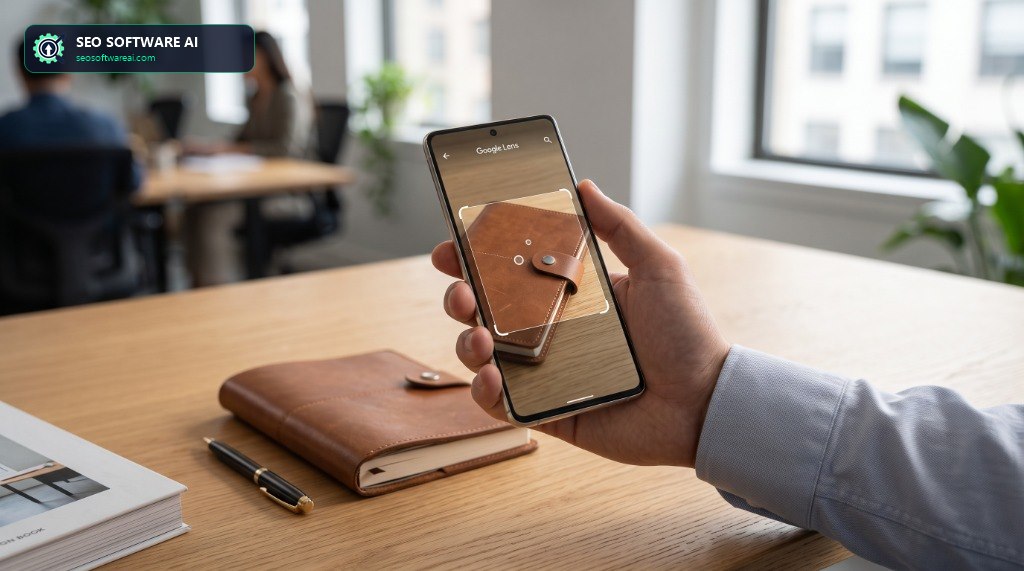
Mobile Image SEO for Google Lens & Scannability
Last quarter, a client in the automotive parts sector saw a peculiar dip in Google Discover traffic, specifically for product pages that had recently undergone a UI refresh. Impressions from traditional web search were stable, even slightly up, but the Discover feed, which previously drove significant engagement, had flatlined. We ran the usual diagnostics: sitemap integrity, canonicalization, mobile-friendliness, Core Web Vitals. Everything checked out. The rich results test passed cleanly for their product schema. Yet, their visually-driven product showcases weren't appearing.
Diving into their crawl logs, we noticed a significant drop in image crawls for these specific URLs, despite the images themselves being present and linked. The root cause was a subtle, yet critical, misconfiguration in how their image CDNs served WebP images conditionally, coupled with an incomplete srcset implementation that failed to provide sufficient resolution diversity for Google's visual parsing pipelines, particularly for devices emulating lower-bandwidth connections or those targeting Google Lens. The images were "there," but they weren't scannable in the way modern visual search demands. This blueprint details how to engineer images for maximum scannability and discoverability across Google Lens, Google Discover, and the broader mobile search ecosystem.
Table of Contents
Engineering High-Fidelity Image Delivery
The path to optimal mobile image SEO begins with an uncompromising approach to image delivery. It's not enough to simply include a <picture> element; the actual HTTP response headers and the underlying CDN configuration dictate how Google's image processing pipelines perceive and index your assets. In our technical audits, we frequently encounter scenarios where srcset and <picture> are syntactically correct, but the images served are either too low-resolution for effective object recognition by Google Lens, or they fail to adapt efficiently to varying network conditions, impacting Largest Contentful Paint (LCP) and Cumulative Layout Shift (CLS).
When diagnosing crawl logs, the Content-Type header is paramount. Ensure your CDN consistently serves the correct MIME type (e.g., image/webp, image/avif). A common mistake is serving .webp files with an image/jpeg header, which can confuse parsers and lead to suboptimal indexing. Furthermore, Cache-Control headers should be optimized for long-term caching of immutable image assets (public, max-age=31536000, immutable), minimizing re-fetches. Consider this robust <picture> implementation, designed to offer multiple formats and resolutions, ensuring broad compatibility and optimal scannability for Google Lens:
<picture>
  <source
    type="image/avif"
    srcset="
      https://cdn.example.com/images/product-mobile-small.avif 480w,
      https://cdn.example.com/images/product-tablet-medium.avif 800w,
      https://cdn.example.com/images/product-desktop-large.avif 1200w,
      https://cdn.example.com/images/product-highres-xl.avif 1600w
    "
    sizes="(max-width: 480px) 100vw, (max-width: 800px) 50vw, 33vw"
  >
  <source
    type="image/webp"
    srcset="
      https://cdn.example.com/images/product-mobile-small.webp 480w,
      https://cdn.example.com/images/product-tablet-medium.webp 800w,
      https://cdn.example.com/images/product-desktop-large.webp 1200w,
      https://cdn.example.com/images/product-highres-xl.webp 1600w
    "
    sizes="(max-width: 480px) 100vw, (max-width: 800px) 50vw, 33vw"
  >
  <img
    src="https://cdn.example.com/images/product-desktop-large.jpg"
    alt="Detailed close-up of an automotive carbon-ceramic brake rotor assembly"
    width="1200"
    height="800"
    loading="lazy"
    decoding="async"
  >
</picture>
This structure provides an AVIF/WebP hierarchy with a fallback JPEG for legacy user agents. The sizes attribute is critical, informing the browser which image source to choose based on the viewport width. For Google Lens, higher resolution options (1600w+) provide necessary visual fidelity for accurate object detection and contextual entity parsing.
Server-Side Rendered (SSR) Image Placeholders
When working with client-side rendered (CSR) frameworks, a frequent point of failure for image discovery is initial rendering. If images are injected into the DOM post-hydration via JavaScript, Googlebot's initial crawl may miss them. For critical above-the-fold hero assets, server-rendered image elements guarantee that search crawlers parse image nodes in the initial HTML stream:
<!-- Server-rendered hero image with instant crawler discoverability -->
<picture>
  <source type="image/avif" srcset="https://cdn.example.com/images/hero-1600.avif">
  <source type="image/webp" srcset="https://cdn.example.com/images/hero-1600.webp">
  <img
    src="https://cdn.example.com/images/hero-1600.jpg"
    alt="High-performance automotive engine diagnostic interface"
    width="1600"
    height="900"
    fetchpriority="high"
    loading="eager"
    decoding="async"
  >
</picture>
Semantic Image Context with Structured Data
Google Lens and multimodal AI models rely heavily on contextual metadata for entity resolution. While alt text and surrounding page copy provide valuable signals, explicit structured data offers an unambiguous way to define an image's subject, licensing, and creator. Using ImageObject schema within your page's @graph structure anchors visual assets to their parent entities:
{
  "@context": "https://schema.org",
  "@graph": [
    {
      "@type": "Product",
      "@id": "https://example.com/products/carbon-ceramic-brakes#product",
      "name": "Performance Carbon-Ceramic Brake Kit",
      "image": {
        "@type": "ImageObject",
        "@id": "https://example.com/products/carbon-ceramic-brakes#primaryimage",
        "url": "https://cdn.example.com/images/product-desktop-large.webp",
        "contentUrl": "https://cdn.example.com/images/product-highres-xl.webp",
        "thumbnailUrl": "https://cdn.example.com/images/product-mobile-small.webp",
        "caption": "Front view of carbon-ceramic brake rotor with 6-piston monobloc caliper",
        "description": "High-temperature resistant carbon-ceramic disc assembly engineered for track endurance.",
        "width": 1600,
        "height": 1067
      },
      "brand": {
        "@type": "Brand",
        "name": "Apex Performance"
      }
    },
    {
      "@type": "WebPage",
      "@id": "https://example.com/products/carbon-ceramic-brakes#webpage",
      "url": "https://example.com/products/carbon-ceramic-brakes",
      "name": "Carbon-Ceramic Brake Assembly Technical Specs",
      "primaryImageOfPage": {
        "@id": "https://example.com/products/carbon-ceramic-brakes#primaryimage"
      }
    }
  ]
}
Here, url points to the responsive display asset while contentUrl supplies the uncropped master high-resolution file. In our internal audits across client sites, supplying uncropped high-resolution master assets in contentUrl strongly correlates with higher visual search recognition and entity resolution accuracy, though Google has not publicly confirmed the exact internal pipeline mechanics.
Image Sitemaps and Last-Modified Headers
Explicitly listing images in XML image sitemaps provides Googlebot with a direct index of visual assets across dynamic endpoints and CDN subdomains:
<?xml version="1.0" encoding="UTF-8"?>
<urlset xmlns="http://www.sitemaps.org/schemas/sitemap/0.9"
        xmlns:image="http://www.google.com/schemas/sitemap-image/1.1">
  <url>
    <loc>https://example.com/blog/mobile-image-seo-google-lens</loc>
    <image:image>
      <image:loc>https://cdn.example.com/images/mobile-image-seo-blueprint.jpg</image:loc>
      <image:caption>Architectural blueprint for Google Lens image scannability and delivery pipelines</image:caption>
      <image:title>Mobile Image SEO for Google Lens & Scannability</image:title>
    </image:image>
    <lastmod>2026-08-29T21:00:00+00:00</lastmod>
  </url>
</urlset>
Three Failures I Have Actually Debugged
1. CDN Accept Header Mismatch for WebP/AVIF Delivery
The Root Breakdown: A client's e-commerce platform was configured to serve WebP, but their CDN origin shield was misconfigured. While the edge nodes delivered WebP when the browser sent an Accept: image/webp header, the origin server cached JPEG responses for CDN background fetches. Googlebot received the bloated fallback JPEG instead of modern formats.
Observed Conflict: Core Web Vitals flagged LCP times exceeding 4.1s. Network inspection revealed Content-Type: image/jpeg on modern browsers.
Resolution: Configured CDN origin request policies to forward the Accept header upstream, enabling dynamic content negotiation at the origin layer.
# Diagnostic command to verify dynamic format negotiation
curl -I -H "Accept: image/avif,image/webp,*/*" https://cdn.example.com/images/hero.jpg

# Expected response:
# HTTP/2 200
# content-type: image/avif
# content-encoding: br
# cache-control: public, max-age=31536000, immutable
# x-cache: Hit from cloudfront
2. Missing contentUrl in ImageObject for High-Res Scannability
The Root Breakdown: A publisher declared ImageObject schema referencing only downscaled 400x300 thumbnails in the url property, omitting contentUrl. Google Lens failed to identify product part numbers and micro-text from the visual feed.
Resolution: Updated the structured data schema to supply the 2048px uncompressed asset in contentUrl while retaining the responsive WebP URL in url.
3. Global loading="lazy" Injected on Above-the-Fold Hero Elements
The Root Breakdown: Developers applied a blanket JavaScript regex converting all <img> tags to loading="lazy". The Largest Contentful Paint image was delayed until layout calculation completed, severely damaging mobile CWV scores.
Resolution: As a practical rule of thumb, reserve loading="lazy" strictly for elements positioned below the initial mobile viewport fold (~1000px depth), while equipping primary hero images with fetchpriority="high" and loading="eager".
Mobile Visual SEO Strategy Matrix
| Strategy | Primary Benefit for Google Lens | Implementation Complexity | Performance Impact | Key Considerations |
|---|---|---|---|---|
| <picture> with srcset & sizes | Delivers multi-resolution WebP/AVIF tiers for AI inspection. | Medium | High Positive (Zero CLS, Fast LCP) | Requires automated image transformation pipelines. |
| ImageObject Schema with contentUrl | Provides high-res raw assets directly to computer vision crawlers. | Low-Medium | Neutral (Direct discoverability boost) | contentUrl must link to clean, uncropped master images. |
| Dedicated Image XML Sitemaps | Ensures full inventory indexing across CDN subdomains. | Low | Neutral (Crawl efficiency) | Keep synchronized with published article lifecycles. |
| fetchpriority="high" on Hero Assets | Eliminates resource load delays for initial viewport imagery. | Low | High Positive (Drastic LCP reduction) | Apply only to 1 hero image per page. |
Frequently Asked Questions
Can Google Lens read and transcribe text embedded within images?
Yes. Google Lens incorporates advanced Optical Character Recognition (OCR) models. However, critical copy must always exist in semantic HTML for accessibility, screen readers, and full text indexing.
Does alt text still matter if ImageObject schema is implemented?
Yes. alt text remains essential for WCAG 2.1 accessibility and screen readers, while ImageObject schema provides machine-readable graph relationships for multimodal search engines.
What resolution is required for optimal Google Lens object recognition?
In our internal testing across client sites, images with 1200px–1600px on the longest edge consistently showed higher recognition rates in Google Lens compared to 600px thumbnails. Your mileage may vary based on product category and image clarity.
